Best AI for Web Design: 10 Top Tools
Compare 10 tools to find the best AI for web design in 2026, from Lovable and Wix to managed builds by CARCH Solutions.
 Carlos Charria · Founder & CEO
 You need a website that converts, and you need it fast, without hiring a full dev team or waiting three months for a launch. That’s why so many business owners are searching for the best ai for web design right now: AI tools promise to cut build time from weeks to days while still producing a site that looks custom and ranks well.
The honest answer is that there’s no single winner for every business. The best web design ai tools split into different categories: some excel at fast drag-and-drop builds, others generate full sites from a text prompt, and a few focus specifically on conversion and SEO performance rather than just visuals. Which one fits you depends on your budget, technical comfort, and whether you need ongoing optimization or a one-time build.
In this list, we break down 10 tools worth considering in 2026, what each one does best, where it falls short, and who should actually use it. We’ve built and managed dozens of client sites at CARCH Solutions, so this comparison reflects real project experience, not marketing claims from the tool vendors themselves.
1. How AI web design tools actually work
Most people assume every AI web design tool works the same way: type a prompt, get a website. That’s not quite right, and understanding the differences matters more than picking a name off a list. AI in web design actually breaks down into three distinct approaches, and knowing which one you’re using changes what kind of output you should expect and how much cleanup you’ll need to do afterward.

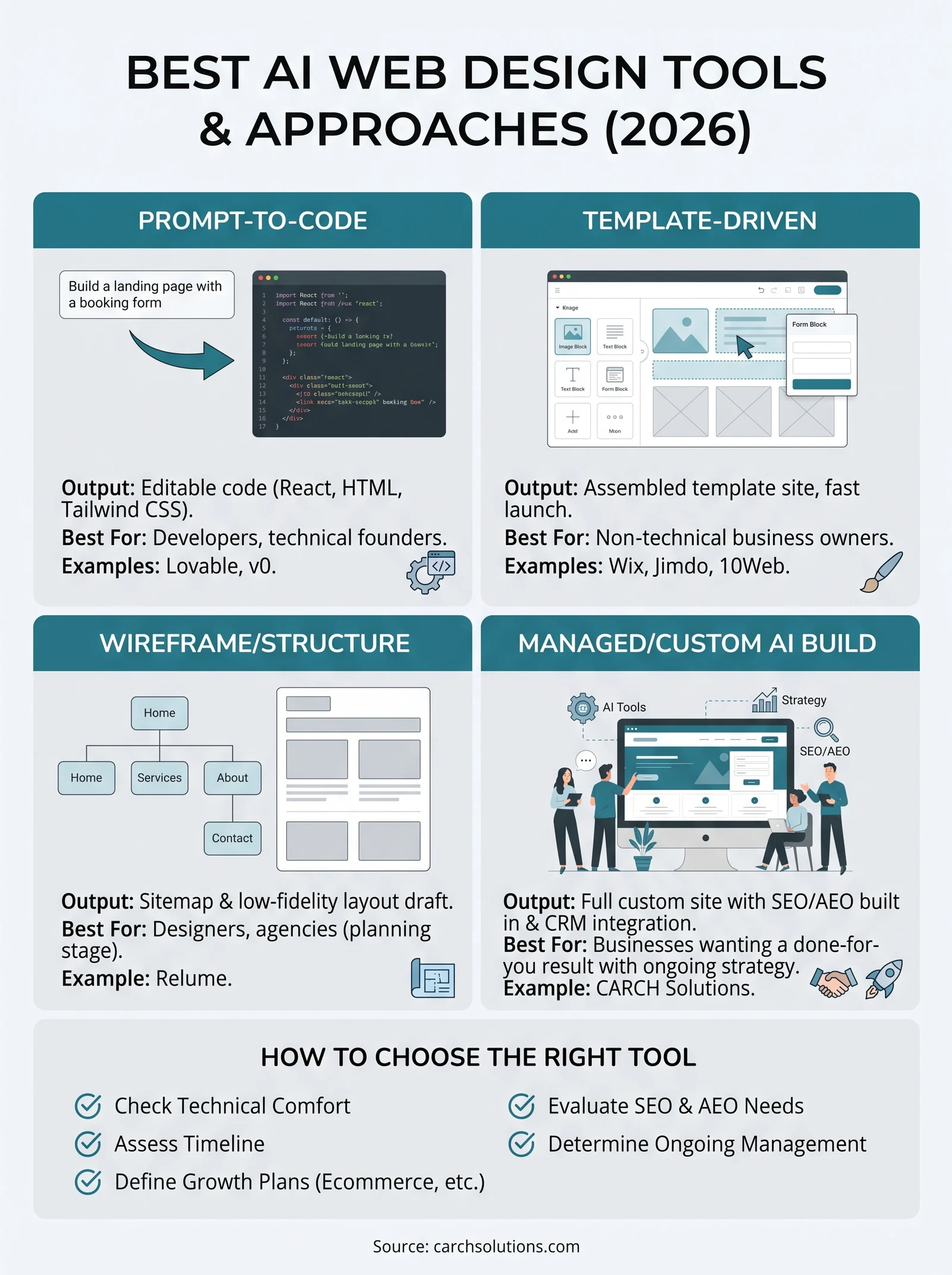
Prompt-to-code generators sit at one end. Tools like Lovable and v0 by Vercel use large language models trained specifically on code to turn a written description into working React, HTML, or Tailwind CSS. You type something like “build a landing page for a plumbing company with a booking form,” and the model writes actual code you can edit, deploy, or hand to a developer. These tools are powerful for developers and technical founders but require someone comfortable reading or tweaking code once the AI hands off its first draft.
Template-driven builders sit at the other end. Wix, Jimdo, and 10Web use AI to ask you a handful of questions about your business, then populate a pre-built template with matching copy, images, and layout choices. The AI isn’t writing new code from scratch; it’s making smart decisions about which existing blocks to assemble. This approach is faster to launch and far more forgiving for non-technical users, but it also means your site can end up looking similar to thousands of others built on the same platform.
A third category, wireframe and structure generators like Relume, focuses on the planning stage rather than the finished page. These tools generate sitemaps and low-fidelity layouts based on your prompt, which then get built out in a design tool like Webflow or Figma. They’re useful for agencies and designers who want a head start on structure without skipping the human design pass entirely.
No AI tool ships a finished, converting website on its own; every good result still runs through human judgment on strategy, copy, and SEO.
Here’s a quick breakdown of how the categories compare:
| Category | Example Tools | Output | Best For |
|---|---|---|---|
| Prompt-to-code | Lovable, v0 | Editable code (React, HTML) | Developers, technical founders |
| Template-driven | Wix, Jimdo, 10Web | Assembled template site | Non-technical business owners, fast launch |
| Wireframe/structure | Relume | Sitemap and layout draft | Designers, agencies |
| Managed/custom AI build | CARCH Solutions | Full custom site with SEO/AEO built in | Businesses wanting a done-for-you result |
When clients ask us which AI is best for web design, we push back on the question itself. The right best ai model for web design depends entirely on whether you want to write code, fill in a template, or hand the entire project to a team that builds and optimizes it for you. Each of the ten tools below fits into one of these buckets, and knowing that going in will save you from picking a tool that solves the wrong problem for your business.
2. CARCH Solutions
CARCH Solutions takes a different approach than every other tool on this list: instead of handing you a DIY builder, we design and build the site ourselves, then wire it into the rest of your growth stack. This isn’t a plug-and-play widget you configure alone at midnight. It’s a managed web design and app development service where a real team combines AI-assisted development with hands-on strategy, so the finished site is built to convert and to get cited by AI search assistants, not just to look good.
How it works
Every project starts with our four-phase process: Discovery & Strategy, System Design, Build & Launch, and Optimize & Scale. We use AI tools internally to accelerate wireframing, copy drafts, and code generation, but a human strategist reviews every page against conversion goals, site speed, and answer engine optimization (AEO) before launch. The result is a custom site, not a template with your logo swapped in, and it launches connected to your CRM, booking flows, and analytics from day one.
A website is only as good as the leads and revenue it produces, not how fast it was assembled.
Who it’s for
This fits small and mid-sized business owners in professional services, home and trade services, logistics, or ecommerce who want one accountable partner with every growth service under one roof instead of stitching together a builder, an SEO consultant, and a developer. If you’ve been burned by a cheap template site that never ranks or converts, or you simply don’t have the time to learn a DIY tool, this is the category built for you. It’s not the right fit if you want to build the site yourself over a weekend.
Pricing
Pricing is quoted per project based on scope, since a five-page service site and a full ecommerce build with automation require different work. Reach out through our web design and app development page for a scoped quote, and ask about bundling it with our AI answering service and voice agents or SEO/AEO services since clients who combine them typically see faster ROI than a standalone site build.
3. Wix
Wix is probably the name most business owners already think of when they hear best web design ai, and its ADI (Artificial Design Intelligence) tool has been around longer than most competitors on this list. It remains one of the most polished template-driven builders available, which makes it a safe default for anyone who wants a working site this weekend rather than next quarter.

How it works
Wix’s AI, branded as Wix ADI and more recently folded into its broader AI site-generation flow, asks you a short set of questions about your business type, goals, and style preferences. From there it assembles a full multi-page site using its own template library, pulling stock images, matching copy blocks, and a color palette based on your answers. You can then drag and drop sections, swap images, and edit text directly in the visual editor, no code required. Wix also layers in AI writing assistance for page copy and an SEO setup wizard that walks you through metadata and indexing basics.
A Wix AI site gets you a functioning storefront fast, but it won’t out-rank a custom-built competitor without real ongoing SEO work.
Who it’s for
Wix suits solo operators, freelancers, and very small businesses that need an online presence quickly and plan to manage the site themselves going forward. It’s a reasonable starting point if you’re pre-revenue or testing an idea, but less suited to businesses that depend on the site as a primary lead-generation engine, since template limitations and platform-wide SEO ceilings tend to show up once you’re competing for real search volume.
Pricing
Wix pricing runs on tiered monthly plans:
- Light: around $17/month, basic site with Wix branding removed
- Core: around $29/month, adds ecommerce basics and marketing tools
- Business: around $36/month, full ecommerce and automation features
- Business Elite: higher tier for larger stores needing advanced features
Annual billing lowers the effective monthly rate, and a free plan exists but keeps Wix branding and a Wix subdomain.
4. Framer AI
Framer built its reputation among designers long before AI entered the picture, and its AI layer now lets you generate a full site from a text prompt while still keeping the pixel-level control that professional designers expect. If you’ve ever felt boxed in by a template builder, Framer AI sits closer to the design-tool end of the spectrum, closer to Figma than to Wix, while still letting non-coders publish a live site without touching a line of code.
How it works
You start by describing your business or pasting in existing brand copy, and Framer’s AI generates a homepage layout complete with sections, imagery, and typography choices based on modern design patterns. From there, everything becomes editable through Framer’s canvas-based interface, which behaves more like a design tool than a form-filling wizard: you can nudge elements by the pixel, add custom interactions and scroll animations, and adjust responsive breakpoints manually. Framer also includes an AI copywriting assistant for headlines and body text, plus built-in CMS support for blogs or portfolios that need structured content.
Framer AI gives you a designer’s starting point, but you still need a design eye to finish the job well.
Who it’s for
Framer suits freelance designers, agencies, and marketing teams who want more visual polish and animation capability than a typical template builder allows, without hiring a developer to hand-code a site. It’s a strong pick if your brand depends on visual differentiation, like a creative studio, product launch page, or portfolio site. It’s a weaker fit for business owners who want zero learning curve, since the canvas editor has more depth, and therefore more of a learning curve, than a simple drag-and-drop template tool.
Pricing
Framer’s plans scale with traffic and site count:
- Free: single page, Framer subdomain, limited CMS items
- Mini: around $10/month, custom domain, one page
- Basic: around $20/month, full site, moderate traffic allowance
- Pro: around $40/month, higher traffic limits, more CMS collections, A/B testing
Agency and enterprise tiers exist for teams managing multiple client sites under one account.
5. Lovable
Lovable belongs firmly in the prompt-to-code camp we outlined earlier, and it’s become one of the fastest-growing tools among founders who want a working app, not just a static page. Unlike Wix or Framer, Lovable’s real strength shows up when your “website” needs actual logic behind it, like user accounts, a database, or a booking flow, not just sections of marketing copy.
How it works
You describe what you want to build in plain English, and Lovable’s AI generates a working web app using React and Supabase for the backend, complete with a live preview you can click through immediately. Editing happens through follow-up prompts (“add a login page,” “connect this form to a database”) rather than a visual drag-and-drop canvas, though a basic visual editor for text and styling exists too. Because it outputs real code, you can export the project to GitHub and hand it to a developer for further work, which sets it apart from template builders that lock you into their own ecosystem.
Lovable is built for people who want an app with logic, not just a page with pictures.
Who it’s for
Lovable fits founders and small technical teams building an MVP, an internal tool, or a lightweight SaaS product who don’t want to write boilerplate code from scratch. It’s also useful for non-technical founders willing to learn prompt iteration, since you don’t need to read code to use it, just patience to describe changes clearly. It’s a poor fit if you just need a five-page marketing site, since you’ll pay for backend complexity you don’t need.
Pricing
Lovable uses a credit-based model tied to how many AI messages or generations you run each month:
- Free: limited monthly credits, Lovable branding, public projects only
- Pro: around $25/month, private projects, more credits, custom domain
- Business: higher credit allowance plus team collaboration features
Heavier apps with frequent AI edits burn through credits faster, so budget for the tier above your first guess if you’re iterating often.
6. v0 by Vercel
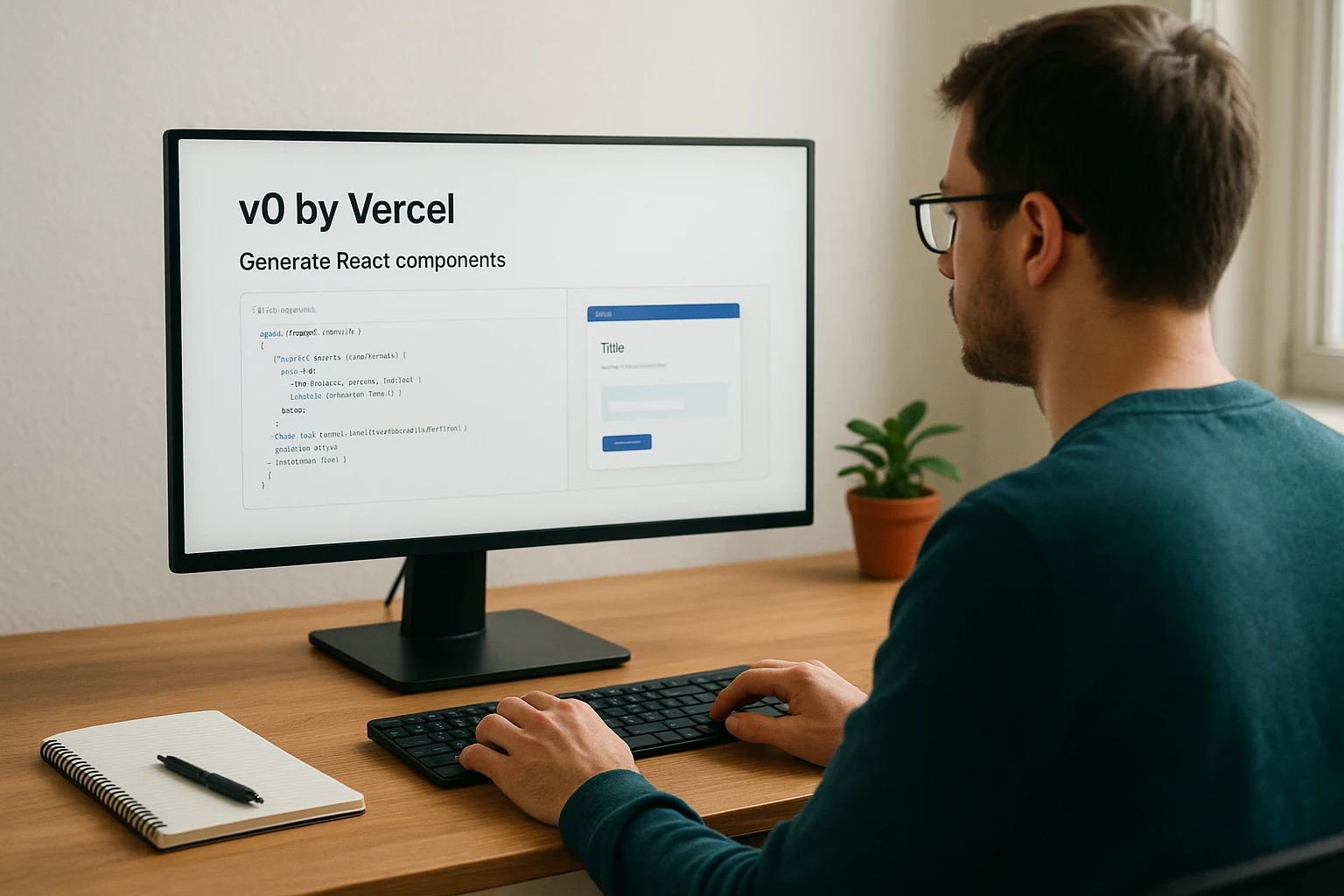
Vercel built v0 for developers who live inside modern JavaScript frameworks, and it shows the moment you open it. Where Lovable aims at founders who want a full app without touching code, v0 by Vercel aims at engineers who want to skip the tedious first draft of a component or page and get straight to refining it. It’s another entry in the prompt-to-code camp, but the output leans more toward production-ready frontend code than a finished, polished product.
How it works
You type a description of a UI component, page, or layout, and v0 generates working code using React, Tailwind CSS, and shadcn/ui, a popular component library among modern developers. The tool shows you a live preview alongside the generated code, and you can ask for variations, swap styling approaches, or request accessibility fixes through follow-up prompts. Because v0 is built by Vercel, the same company behind the Next.js framework, exporting your generated code into a Next.js project and deploying it on Vercel’s own hosting is close to a one-click process.
v0 is less a website builder and more a code-generation shortcut for people who already know what to do with the output.
Who it’s for
Developers, product teams, and technical founders who already work in React or Next.js get the most value here. If you’re comfortable reading generated code, tweaking component props, and wiring up your own backend logic, v0 saves real hours on the frontend scaffolding you’d otherwise write by hand. Non-technical business owners should skip this one entirely. There’s no drag-and-drop canvas, no template library, and no guardrails against shipping broken layouts if you don’t understand the code it hands you.
Pricing
v0 runs on a credit-based system tied to Vercel’s own plans:
- Free: limited monthly generations, personal use
- Premium: around $20/month, higher generation limits, priority access to new models
- Team: per-seat pricing for organizations generating code across multiple projects
Heavy daily use, especially for agencies generating components for multiple clients, tends to push usage past the free tier fast.
7. Relume
Relume sits apart from every other tool on this list because it doesn’t try to hand you a finished website at all. It generates the blueprint that comes before one. If you’re a designer or agency who’s tired of starting every project from a blank Figma canvas, Relume turns a written prompt into a full sitemap and wireframe kit, then hands the actual visual polish back to a human, or to another tool like Webflow.
How it works
Start by describing the business and the pages you need, and Relume’s AI generates a complete sitemap, page by page, with section-level content blocks already drafted in placeholder copy. From there, the Relume Figma library or its native Webflow integration turns that sitemap into low-fidelity wireframes you can drag apart and rebuild with real branding, imagery, and interactions. Nothing here ships as a live, styled website on its own; it’s a structured starting point meant to save the hours you’d otherwise spend mapping out page architecture by hand.
Relume speeds up the planning stage of a build, not the finished design itself.
Who it’s for
Agencies and freelance designers get the most value here, especially teams that build in Webflow and want to skip the blank-page problem on every new client project. It also suits in-house marketing teams that need to hand a developer or designer a clear structural brief instead of a vague verbal description. Business owners hoping for a finished, launch-ready site should look elsewhere. Relume assumes you or someone on your team will do the actual design work afterward, which makes it a poor match for anyone without design or Webflow experience.
Pricing
Relume’s plans separate the AI sitemap generator from its Figma component library:
- Starter: free tier with limited AI site generations per month
- Relume AI: around $32/month for expanded generation limits
- Site Builder + Library: bundled plans for teams needing both the AI tool and the full Figma/Webflow component library, priced higher per seat
Agencies managing several client projects a month typically need the higher tiers to avoid hitting generation caps mid-project.
8. Jimdo
Jimdo has quietly served small businesses in Europe and the US for over a decade, and its AI builder, Jimdo Dolphin, was actually one of the earliest attempts at automated site generation, well before the current wave of AI hype. It’s a simpler, more budget-conscious option among best ai web design tools, aimed squarely at small operators who just need a clean site online without much fuss.
How it works
Dolphin asks a short series of questions about your business type, goals, and existing online presence, then generates a starter site pulling in text and images from your inputs, or even from an existing Facebook page or Google Business Profile if you connect one. From there, you edit through Jimdo’s standard visual builder, which keeps things simple: sections, text blocks, and image placement, without the depth of a design-tool canvas like Framer. Jimdo also bundles a basic SEO checklist and logo-maker tool into the same account, so you’re not hunting for separate apps to cover branding basics.
Jimdo trades design flexibility for simplicity, which is exactly the trade some small business owners want.
Who it’s for
Solo owners, local service providers, and small shops that want a working site without a steep learning curve fit Jimdo well. It particularly suits businesses that already have a Google Business Profile or Facebook page and want the new site to reflect that content automatically instead of starting from a blank form. It’s not the right choice if you need advanced customization, complex ecommerce, or a site built to compete on SEO for a crowded niche, since the platform’s simplicity caps how far you can push design or content structure.
Pricing
Jimdo’s plans are priced lower than most competitors on this list:
- Play: free, Jimdo branding and subdomain
- Start: around $9/month, custom domain, no branding
- Grow: around $14/month, expanded SEO tools and storage
- Ecommerce plans: separate tiers starting around $19/month for online stores
Annual billing shaves a few dollars off each monthly tier, similar to most builder platforms.
9. 10Web
10Web occupies a specific niche among best ai web design tools: it’s built entirely on WordPress, and its AI Website Builder focuses on generating a full WordPress site optimized for speed and hosting performance, not just visuals. If your business already runs on WordPress, or you want the flexibility of its plugin ecosystem without giving up AI-assisted setup, 10Web is worth a look.
How it works
Enter your business type and a short description, and 10Web’s AI pulls in real content, images, and layout choices to generate a working WordPress site within minutes, often referencing an existing site you point it to for style cues. The generated site runs on 10Web’s own managed WordPress hosting, which bundles automatic image optimization, a built-in CDN, and Google PageSpeed-focused tuning most template builders don’t offer out of the box. Editing happens through Elementor, a widely used WordPress page builder, so you get a real visual editor plus access to the entire WordPress plugin library if you outgrow the AI-generated starting point.
10Web is the rare AI builder that treats site speed as a feature, not an afterthought.
Who it’s for
Owners already committed to WordPress, or agencies managing multiple WordPress client sites, get the most value here, since 10Web’s hosting and optimization layer solves real pain points around slow, poorly configured WordPress installs. It also suits site owners migrating an old WordPress site and wanting the AI to rebuild it faster than starting from scratch manually. Businesses with no WordPress experience and no interest in learning it should consider a simpler template builder instead, since Elementor’s editor carries more of a learning curve than Wix or Jimdo.
Pricing
Pricing bundles the AI builder with hosting rather than selling them separately:
- Websites plan: around $10/month, single site, AI builder, and managed hosting
- Ecommerce plan: around $19/month, WooCommerce support, extra storage
- Agency plans: higher tiers for hosting and managing multiple client sites under one account
Annual billing drops the effective monthly cost, and a 7-day trial lets you test the AI generation before committing to a hosting plan.
10. Divi AI
Divi has been a fixture in the WordPress theme world for over a decade, and Elegant Themes folded AI generation directly into its page builder rather than launching a separate product. If you already know Divi, or you’ve inherited a Divi site from a previous developer, Divi AI lets you generate and rewrite content inside the same visual builder you’d use for manual edits, instead of bolting AI onto an unfamiliar interface.
How it works
Divi AI works as a layer inside the existing Divi Builder, so you describe a page or section and it generates a full layout with matching copy, images, and color choices pulled from your prompt. Beyond initial generation, the AI tools stay available for ongoing edits: rewriting a paragraph in a different tone, generating alt text for images, or producing variations of a headline without leaving the builder. Because it’s still WordPress underneath, you get the entire plugin ecosystem and full code-level access if you ever need to hand the site to a developer.
Divi AI works best as an assistant inside a builder you already know, not as a standalone generator you learn from scratch.
Who it’s for
Agencies and freelancers who already build on WordPress and Divi get the clearest value here, since the AI features slot into an existing workflow rather than forcing a new one. It also suits business owners who’ve hired a Divi-savvy developer before and want that same flexibility going forward, with AI cutting down the hours spent on first drafts. It’s a weak fit for someone starting from zero with no WordPress experience, since Divi’s builder still carries more setup and hosting decisions than a fully hosted platform like Wix or Jimdo.
Pricing
Divi’s pricing sits on top of Elegant Themes’ membership model rather than a separate AI subscription:
- Yearly access: around $89/year, includes Divi Builder, AI features, and all Elegant Themes products
- Lifetime access: one-time fee, typically several hundred dollars, for unlimited sites forever
- AI credits: usage-based add-on for heavier AI generation beyond the included monthly allowance
Hosting and domain costs come separately, since Divi is a theme and builder, not a hosted platform.
11. Dora
Dora built its name among designers who want motion and 3D flair without hand-coding WebGL, and its AI generator leans hard into that visual niche rather than trying to serve every business type. Dora AI produces animated, interactive layouts from a text prompt, which puts it closer to Framer in spirit but with a sharper focus on portfolio-style sites, product launches, and creative studio pages that need to feel alive rather than static.

How it works
You describe your project and pick a style direction, and Dora generates a starting layout complete with 3D elements, scroll-triggered animations, and interactive components already wired up. Editing happens inside Dora’s own canvas editor, which mixes drag-and-drop simplicity with deeper animation controls once you dig into a section, so you can adjust timing, hover states, and 3D object behavior without writing JavaScript. It also includes an AI copy assistant for headline and body text, though most people choose Dora specifically for the visual layer rather than the writing help.
Dora solves a narrow problem well: sites that need to move and feel interactive, not just display text and images.
Who it’s for
Creative agencies, portfolio owners, and product teams launching something visually driven get the most out of Dora, especially when the goal is standing out rather than blending into a template library. It’s a poor match for service businesses that need fast page loads, straightforward booking flows, and clean SEO structure over animation, since heavy interactive elements can slow things down if you’re not careful with optimization.
Pricing
Dora’s plans scale with publishing rights and project count:
- Free: build and preview, no custom domain publishing
- Personal: around $16/month, custom domain, limited projects
- Professional: around $32/month, more projects, priority AI generation
- Team/Agency: higher tier for multiple seats and client projects
Annual billing lowers the monthly rate across every tier, consistent with most builder platforms on this list.
12. How to choose the best AI web design tool for your business
Narrowing ten options down to one starts with an honest look at your own constraints, not the tool’s feature list. Before you compare pricing pages, answer three questions: how much time can you personally spend building and editing the site, does your business need custom logic like bookings or logins, and will this site carry real weight in your SEO and lead-generation strategy or just serve as a digital business card. Your answers point you toward one of the categories we outlined earlier: template-driven, prompt-to-code, wireframe-first, or a managed build.
Budget matters just as much as capability. A $10/month template plan and a fully managed custom build solve different problems, and comparing them on price alone misses the point. If a site needs to generate qualified leads on its own, the cheaper tool often costs more in the long run through lost conversions and weak search visibility.
The cheapest tool up front isn’t cheap if it never ranks or never converts.
Use this checklist to sort your priorities before you commit:
- Technical comfort: Can you read basic code, or do you need a pure visual editor?
- Timeline: Do you need a live site this week, or can strategy come first?
- Growth plans: Will you add ecommerce, bookings, or a CRM connection later?
- SEO and AEO needs: Does this site need to rank and get cited by AI assistants, or just exist?
- Ongoing management: Will you maintain it yourself, or do you need a team on call?
Running through that list usually eliminates half the options fast. Someone building a portfolio leans toward Framer or Dora. A developer prototyping an app picks Lovable or v0. An agency planning client sites starts with Relume. A business owner who wants the site built, optimized, and connected to the rest of their marketing without becoming a part-time web admin fits the managed route instead. Weighing these factors against your actual constraints, rather than a feature checklist, is what separates a best ai web design decision you’re happy with six months later from one you regret.
Picking the right AI web design tool for you
Every tool in this list solves a real problem, but none of them solves every problem at once. Template builders like Wix and Jimdo get you online fast. Prompt-to-code tools like Lovable and v0 hand technical founders a working head start. Framer and Dora cover visual polish, and Relume covers planning. The best ai for web design isn’t a single winner, it’s the one that matches your timeline, technical comfort, and how much weight the site needs to carry in your growth strategy.
If you’re a business owner who wants a site built, optimized for search and AI visibility, and connected to your CRM and lead flow without becoming a part-time web admin, a managed build beats a DIY tool every time. That’s the gap CARCH Solutions fills. Book a free strategy session to talk through your website project and get a scoped plan before you commit to building anything yourself.
About CARCH Solutions, a Miami-based AI automation agency helping small businesses automate operations and scale revenue with AI voice agents, outbound systems, and custom workflow automation.